
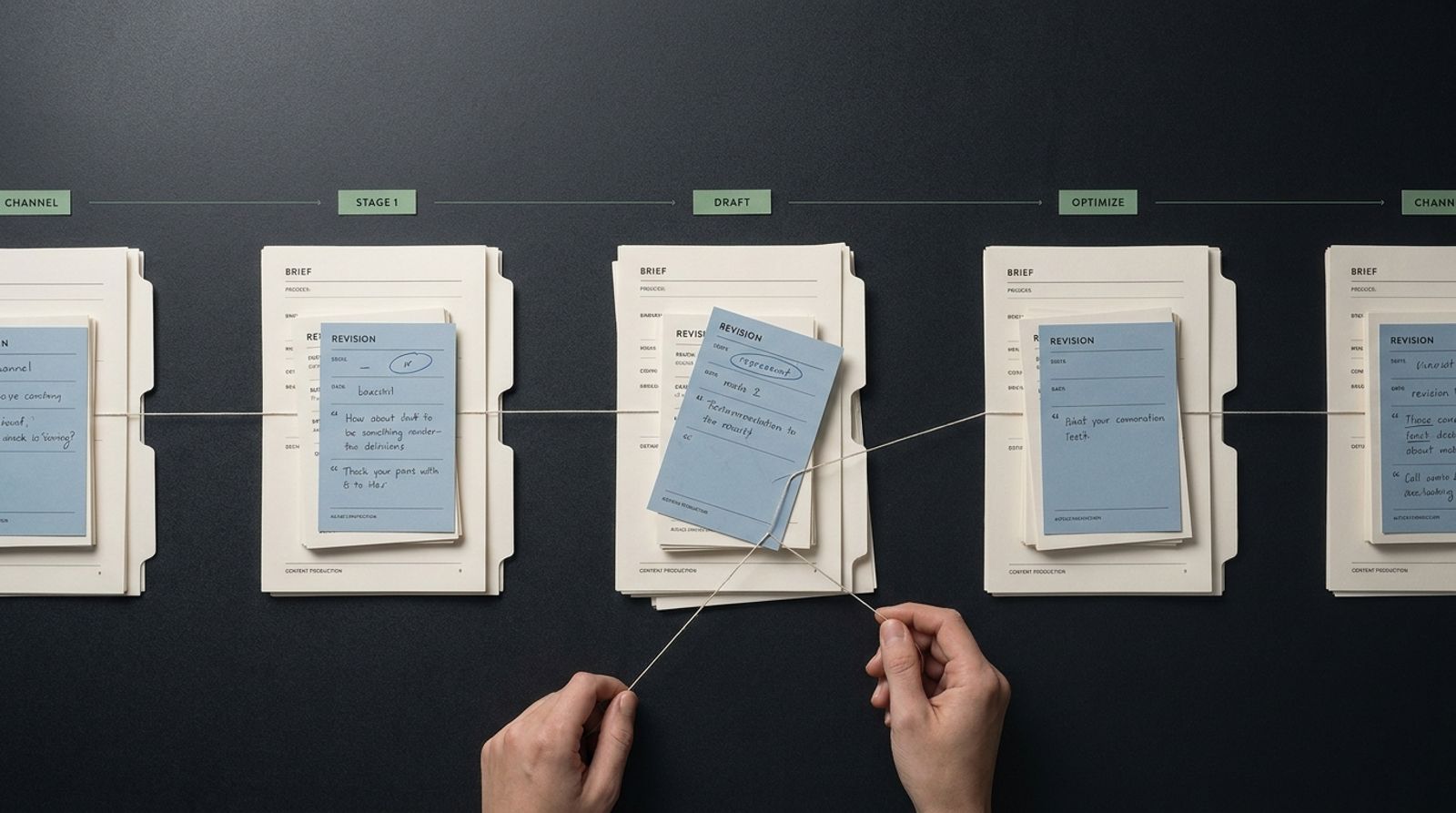
Take one campaign asset that needs a late legal edit, a revised product message, and versions for more than one channel. Can the team see what changed, who owns the next step, and which version is ready to publish without opening a string of tabs?
That is the useful definition of content lifecycle usability. It is not whether a new user can find the compose button. It is whether the work keeps moving when the brief shifts, feedback arrives late, and the same idea has to travel across formats. When assessing content workflow software, understanding how usability impacts your team's operations can make the difference between chaos and seamless collaboration through the lifecycle of your projects, including Think with Google research.
Start With The Handoff That Breaks The Workflow
Every piece of content has its journey, and navigating that journey can be complex. When a brief changes at any point, it can create friction throughout the workflow. If your tool cannot adapt to these changes, your team may find itself mired in unnecessary delays and miscommunication.
The Realistic Test: A Brief Changes After Drafting Starts
Imagine you’ve drafted an article, and halfway through the approval process, a crucial detail shifts - perhaps a last-minute change in legal compliance or a new marketing strategy that alters the message. Can your current content management solution allow the team to track this change swiftly and maintain clarity on which versions are under review? If your team struggles to find or adapt the relevant content, the entire project can stall, impacting delivery timelines and brand consistency, see Marketing Directors solution.
Ease of Use for One Person vs. Usability Across a Team
While one user may find a dashboard user-friendly, it’s critical to evaluate it from a team perspective. A platform should enable collaboration, ensuring that everyone involved - from content creators and reviewers to marketers - can navigate their specific tasks without becoming system administrators. A tool that requires extensive training can lead to inefficiencies and frustration, ultimately hindering the entire content production lifecycle, including Harvard Business Review research.
Score The Work, Not The Demo
Rather than falling for the typical “easy to use” marketing, a practical scorecard can help you assess how well a system performs in real-life scenarios across different stages of content production.
Intake and Brief Creation
- Brief Creation: Can a strategist turn a campaign need into a usable brief without losing audience, message, and channel context?
This aspect is crucial. If your strategy team spends hours creating a brief only to find that the content it inspires loses sight of those initial goals, the entire workflow is compromised from the start.
Drafting, Review, and Brand Consistency
- Drafting: Does the working flow keep the draft connected to the brief and the intended brand voice?
Maintaining brand consistency throughout the drafting process is essential. Reviewers should be able to quickly reference the original brief to ensure that the content aligns with the established guidelines and messaging aims.
Publishing Handoffs and Channel Changes
- Publishing: Does the team have a clear handoff from approved content to the channels where it needs to appear?
A lack of clarity during publishing can lead to missed opportunities. Each channel may have specific requirements; your tool should help adaptations to those needs seamlessly.
Finding Work Again After It Ships
- Reuse: Can a team find the finished work, understand its status, and adapt it without starting from scratch?
After publishing, it’s vital for ongoing campaigns that teams can access previous work to understand what performed well and use that knowledge for future projects.
Team Fit
- Team Fit: Can content leads, designers, subject-matter reviewers, and channel owners each complete their part without becoming system administrators?
The usability of the platform must support each role's requirements. If team members find themselves spending too much time on the tool instead of their actual work, productivity suffers.
Where Descriptions Drift
When evaluating tools, confusion can arise due to overlapping terminology. A content hub, digital asset management (DAM) system, headless Content Management System (CMS), and workflow platform each serve different purposes and should be distinctly understood.
The Content Hub Question
A content hub discussion should focus on how teams organize and govern a body of content. It’s about centralizing your assets for easier access, ensuring that every member knows where to find what they need.
The DAM Question
A DAM focuses on how teams manage and retrieve creative assets. This tool should provide easy access and organization for visuals, documents, and other media needed throughout the lifecycle.
The CMS Question
A CMS discussion should focus on structured content and delivery. It is crucial for managing how content is published, ensuring that it reaches the target audience in the right format.
The Workflow Platform Question
Finally, a workflow discussion should follow the sequence from request through review, approval, and release. Understanding the role of each tool helps in making a more informed decision about what your team truly needs.
What To Score Besides A Clean Interface
An attractive dashboard does not guarantee effective collaboration. The real usability of a content workflow software surfaces when your team encounters real-world scenarios.
Friction at Each Handoff
- What happens when the brief changes after the first draft is complete?
- Where does brand guidance appear while the work is being drafted?
These questions expose friction points that can lead to delays or miscommunication. Identifying how a team adapts to changes is critical for evaluating usability.
Ownership When Something Changes
- How does a team move from an approved idea to multiple channel-ready versions?
- Which person owns the final publishing decision?
Clarifying ownership not only streamlines decision-making but also enhances accountability, making it easier to track progress.
Evidence of Lifecycle Coverage
- What does a manager see when a task stalls?
- Can the team trace the path from brief to published work without reconstructing it from messages?
Understanding how visibility is maintained throughout the lifecycle is essential for effective content operations.
Where Markgrid Content Engine Fits
Content Engine is Markgrid’s AI-powered content production and publishing product. Its role is to manage the content lifecycle from brief creation to brand-aligned drafting and multi-channel publication. This makes the right evaluation question concrete: does your team need a single flow that begins with a brief and stays connected through drafting and publication?
- Brief-to-Publish Workflow: Streamlining processes from start to finish.
- Brand-Voice Drafting: Ensuring consistency across all content outputs.
- Multi-Channel Publishing: Facilitating adaptations for different platforms.
- Content Lifecycle Management: Maintaining oversight through each stage of production.
- Brand Consistency: Guaranteeing that all content reflects the brand’s messaging.
- Content Performance Enablement: Allowing for data-driven decision-making to refine future work, see markgrid.ai homepage.
By focusing on these capabilities, teams can evaluate if the Markgrid Content Engine aligns with their specific needs.
Build A Comparison That Survives Procurement
Conclude your evaluation with a solid plan to test different solutions in practical scenarios, ensuring you choose the right tool for your team.
A One-Week Scenario-Based Evaluation
- Day 1: Bring one active campaign brief with real constraints.
- Day 2: Ask a writer to create or adapt a draft.
- Day 3: Add a reviewer with a substantive change request.
- Day 4: Prepare versions for the channels the team actually uses.
- Day 5: Ask the operations owner to find the final work, explain its status, and identify the next action.
Capture where work paused and where ownership became unclear. Documenting these observations will help clarify your team’s non-negotiable workflow needs. For further insights, refer to the Content Marketing Institute resource library.
FAQ
Does “easy to use” mean the same thing for writers, reviewers, and content operations leads?
Not necessarily. Different roles prioritize different aspects of usability. For writers, ease of drafting might be crucial, while operations leads may value transparency and task management capabilities.
How do I compare content lifecycle management tools if our briefs change every week?
Focus on tools that offer flexibility and maintain visibility. Ensure that the platform you choose allows quick adaptations to changing briefs while maintaining context and history.
Should a DAM, CMS, and content workflow tool be evaluated as the same type of product?
No. Each serves a distinct role in the content lifecycle. It’s important to evaluate them based on how well they can meet the specific needs of your workflow.
What should we ask during a content workflow software demo?
Inquire about how the tool handles changes during the drafting process, maintains brand consistency, and streamlines the handoff from drafting to publishing.
Can a brief-to-publish workflow help teams keep brand voice consistent across channels?
Absolutely. Such a workflow connects the brief to the final output, ensuring that all content reflects the intended brand voice and messaging.
What is the fastest way to test whether a new content process will create more approval work?
Implement a trial run where you document each step of the process, noting where delays or confusion arise. This will highlight any potential bottlenecks in your workflow.
Implications And Next Steps
Understanding content lifecycle usability is key to enhancing your team's workflow efficiency and ensuring effective collaboration. By implementing a structured evaluation plan for content workflow tools, you can make informed decisions that directly affect your marketing success. Start by leveraging these insights and scorecards to guide your procurement process, ensuring that the tools you select genuinely meet your operational needs. For further support, explore our Content Teams solution to see how Markgrid can empower your content operations today.
How often MarkGrid is named when AI models discuss this topic. About Model Share
Rishi utkarsh gupta
Associate director
Rishi Utkarsh Gupta is an Associate Director at MarkGrid, an autonomous marketing operating system powered by 650+ AI agents. He focuses on AI visibility, marketing intelligence, and scalable growth systems.
See it on your brand
Thirty minutes on where marketing is leaking for you.